
The ScopeStack project approval workflow has been a rigidly structured:
-
Technical Approval: do the subject matter experts agree that the project has the necessary and sufficient services to satisfy the customer’s goals?
-
Sales Approval: does the sales executive agree that the project can meet the customer’s budget?
-
Business Approval: does the project meet business requirements?
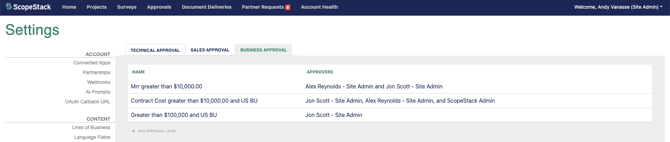
This flow from Technical to Sales to Business reflected the experience of the ScopeStack team working in the kinds of organizations that we strive to support. We are increasingly aware that our customers have different approval workflow needs so we are taking a new step towards increasing the control that each account has over the flow. We will accomplish this by merging the Technical and Sales steps into the Business approval controls, allowing individual accounts to reorganize the workflow steps to match their business process.
Kinds of Approval Level
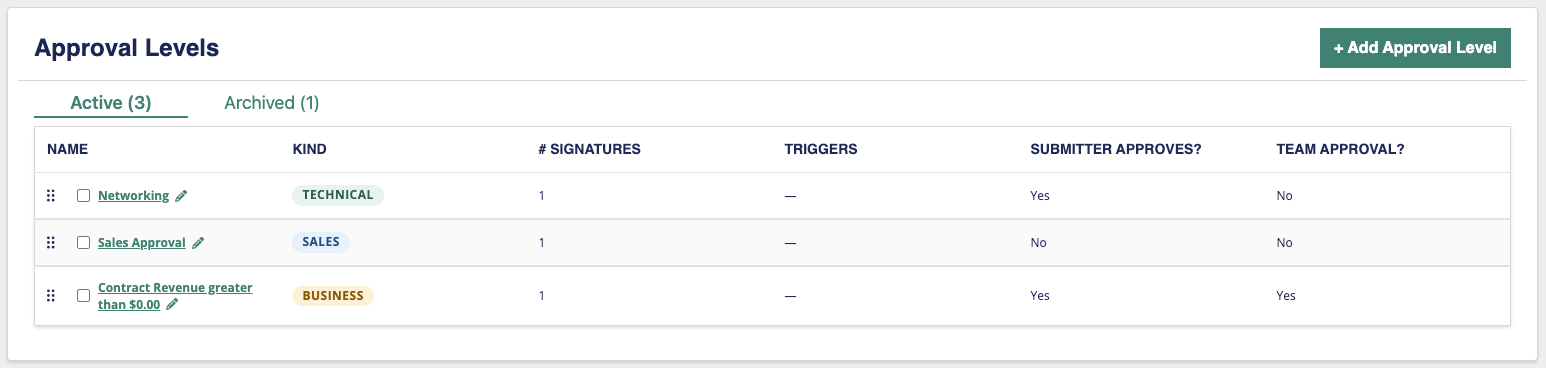
The Business Approval workflow consists of a series of Approval Levels. Starting with the first Approval Level, the criteria are tested against the Project, and if the project meets the criteria, then approval workflow pauses to gather the approvals of the users required for that Approval Level. When the required approvals have been given or the project does not meet the Approval Level criteria, then the next Approval Level is tested. When this has been completed for all Approval Levels in the Account, the project is moved to the Approved status.
Currently, each Approval Level is implied to be a “Business” approval level because of where it exists in the workflow. In the Unified Approval Workflow, you will be able to select whether an Approval Level represents a Technical, Sales, or Business approval level. The differences among the kinds of Approval Levels centers on who is requested to approve the step and when the step is considered complete.
| Kind of Approval | Users Selected | Complete When.. |
|
Technical |
The Line of Business (LOB) for all services on the Project are checked against the list of users for the Approval Level. If the list of LOBs for the user is empty or the list includes one of the LOB from the project, then the user is requested to approve for that LOB. | When all Project LOBs have received the minimum number of approvals AND no approver has rejected the project. |
| Sales | The Sales Executive on the project is requested to approve. Any other user added to the level will be able to approve as well. | When the minimum number of approvals has been received and no approver has rejected the project. |
| Business | Only the users added to the level will be asked to approve the project. | When the minimum number of approvals has been received and no approver has rejected the project. |
Approval Level Users
Business Approval Level users will continue to work as they did previously. Sales Approval Level users will allow the account to add additional users. This could be useful for the account that would like to nominate one or more “backups” to the Sales Executive in case the Sales Executive is out of the office when the approval is required.
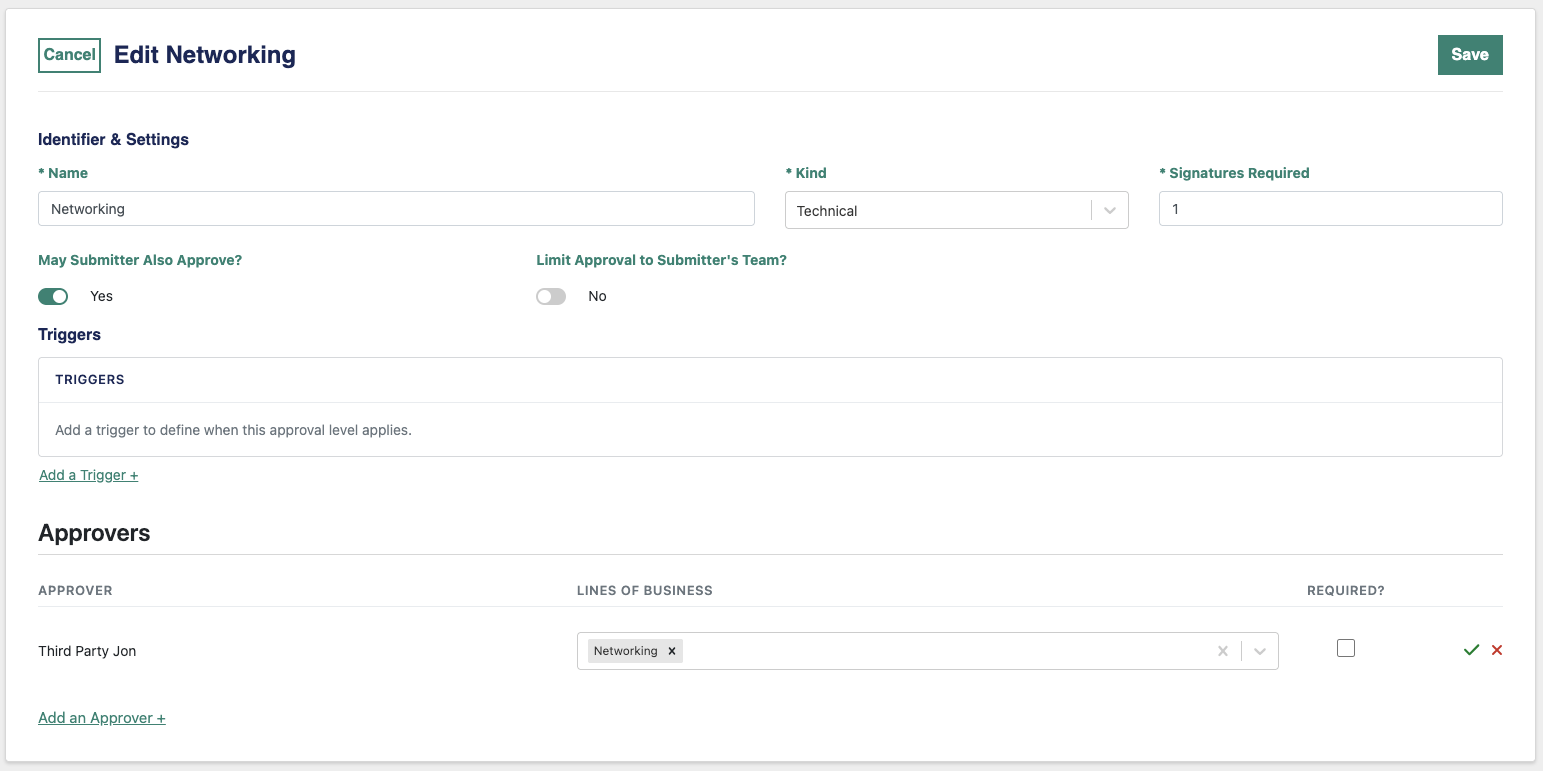
The biggest difference in Approval Level Users lies with the Technical Approval Level. Previously, the system focused on the LOB and added a list of approvers to it. With the unified flow, the application is focused on the User first. A user may be added to the list and then a list of LOBs for which the user is required to provide approval will be attached. If the user is an approver for all LOB, then the LOB “filter” may be left empty.
Advantages of the Unified Approval Workflow
Making this transition to a unified workflow will provide a few key advantages:
-
Accounts may choose the sequence of Technical, Sales, and Business workflow that meets their needs
-
Technical and Sales approval gain the ability to apply project-matching criteria. For example, a Project could require Technical Approval only if there are customized services on the project.
Transition to the Unified Approval Workflow
The goal of this transition will be to preserve the current Approval Workflow at the time of transition. When the Unified Approval Workflow is activated, the Technical and Sales approval configuration for the account will be reviewed.
-
All existing Approval Levels will be defaulted to a Business Approval Level.
-
If any technical LOB approval has been configured, then a Technical Approval Level will be added to the Approval Level list in the first position, preceding any existing Business Approval Levels.
-
If the Sales Approval is active, then a Sales Approval Level will be inserted immediately before any Business Approval Levels (if a Technical Approval Level was added then the Sales Approval Level will be second in the list).
-
These steps will preserve the existing Technical => Sales => Business approval workflow. After the transition, however, Account Administrators will be free to resequence the Approval Levels in any manner they see fit.
Project Impact
There will be a minor impact on the visual layout of Approvals on the Project. Currently, Business approvals appear as one large “approval step” on the Approval page, with each Approval Level being grouped beneath the “Business Approval” banner. In the future, each Approval Level will stand on its own.